
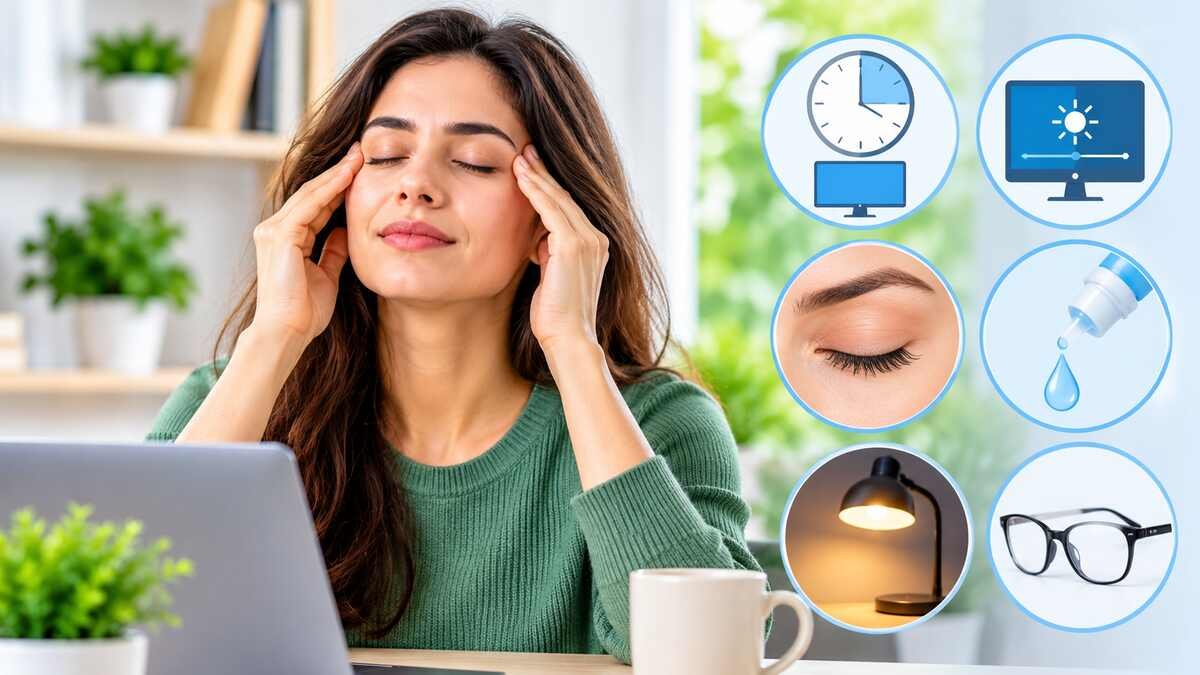

After a long day of working on a computer, scrolling on your phone, or reading, your eyes can feel tired, dry, or irritated. The good news is that mild eye strain often responds to a few simple changes at home. If you are wondering how to relieve eye strain at home, the steps below are easy to try and are backed by leading eye-health organizations.
You can relieve mild eye strain at home by taking regular breaks from screens and reading, following the 20-20-20 rule, blinking frequently, adjusting screen brightness, reducing glare, and improving room lighting. If your eyes feel dry, suitable artificial tears may help. Persistent or unusual symptoms should be checked by an eye-care professional.
Home care can ease everyday discomfort, but it has limits. Not every case of tired or uncomfortable eyes is ordinary eye strain, and some symptoms need an exam. This guide walks through ten practical steps, screen-specific tips, what to avoid, and when to see an eye doctor.
What Is Eye Strain?
Eye strain is a term people use for discomfort linked to prolonged visual tasks. It commonly follows computer use, reading, driving, and close-up work. Mayo Clinic explains that it usually isn’t serious and goes away once you rest your eyes or take other steps to reduce discomfort.
Typical symptoms include:
- Tired or heavy eyes
- Dryness, burning, or irritation
- Watery eyes
- Blurred vision
- Headaches or difficulty focusing
Eye strain describes a group of symptoms and is not a diagnosis. Dry eye, an outdated glasses prescription, and other conditions can feel similar. For more detail, see our guides on what causes eye strain and what eye strain feels like.
10 Ways to Relieve Eye Strain at Home
These suggestions are general information, not individualized medical advice. Try them in combination, since eye strain often has more than one contributing factor.
1. Follow the 20-20-20 Rule
Every 20 minutes, look away from your screen and focus on something about 20 feet away for at least 20 seconds. Mayo Clinic recommends this habit, and the American Academy of Ophthalmology (AAO) describes a similar break schedule.
Looking into the distance gives your eyes a rest from sustained close-up focusing. A gentle reminder on your phone or computer can help you stick with it.
2. Take Regular Breaks From Screens and Reading
Long stretches of uninterrupted close work can add to discomfort. Mayo Clinic advises taking occasional breaks during reading or close work by looking away from the page, screen, or task.
Stand up, stretch, or look around the room. Build breaks into your routine rather than waiting until your eyes already hurt.
3. Blink Fully and Regularly
People tend to blink less while concentrating on a screen. Mayo Clinic notes that blinking produces tears that moisten and refresh your eyes, so it helps to make blinking a habit when you look at a monitor.
Try a few slow, complete blinks each time you finish a paragraph or answer an email. Small reminders like this can reduce dryness over the day.
4. Adjust Screen Brightness and Contrast
A screen that looks much brighter or dimmer than the room around it can make your eyes work harder. The AAO notes that when a screen is much brighter than the surrounding light, your eyes have to work harder to see.
Match your brightness to the room, choose a comfortable contrast, and increase text size if you find yourself squinting. No single setting works for everyone, so adjust until reading feels easy.
5. Reduce Glare Around Your Workspace
Reflections from windows, overhead lights, or glossy surfaces can make a screen harder to view. Mayo Clinic notes that glare and bright lighting can strain your eyes, and that the worst problems often come from sources above or behind you.
Tilt the screen, close blinds, or avoid placing your monitor directly in front of a window. An anti-glare screen cover is an optional accessory, not a requirement.
6. Set Up a Comfortable Screen Position
Screen position affects both your eyes and your posture. The AAO suggests sitting about an arm’s length from your computer, with the screen slightly below eye level so your eyes look slightly downward.
Harvard Health, summarizing AAO advice, gives a range of 20 to 26 inches from your face. Sit with your back supported, and avoid leaning in to read small text. If posture is a recurring problem, our article on how to relieve poor posture at home offers more ideas.
7. Improve the Lighting in Your Room
Very bright light, dim light, and direct reflections can all make visual tasks uncomfortable. Mayo Clinic suggests that when reading or doing close work, you position the light source behind you and direct it onto the page.
For desk work, a shaded lamp keeps light from shining directly into your eyes. When watching television, a softly lit room may be easier on your eyes.
8. Use Artificial Tears if Your Eyes Feel Dry
Over-the-counter artificial tears may help relieve dryness linked to long screen sessions. Mayo Clinic notes that they can help prevent and relieve dry eyes, and that your healthcare provider can suggest which eyedrops might be best for you.
Keep these points in mind:
- Ask a pharmacist or eye-care professional which product suits you
- Follow the directions on the label
- Choose lubricating drops, not redness-relief drops, because Mayo Clinic cautions that drops with a redness remover may worsen dry eye symptoms
- Drops that contain preservatives should not be used more than four times a day, according to Mayo Clinic
Artificial tears can ease dryness, but they will not treat every cause of eye strain. To compare your symptoms, see our guide to dry eye symptoms.
9. Reduce Dry Air Blowing Toward Your Face
Air from fans, vents, and heaters can dry your eyes. Mayo Clinic lists dry moving air from a fan, heating, or air-conditioning system as a common contributor to eyestrain.
Redirect vents away from your face, or move your chair if you sit in a draft. A humidifier may help if your indoor air is very dry. Clean it as the manufacturer directs, since a dirty humidifier can cause its own problems.
10. Give Your Eyes a Break From Contact Lenses When Appropriate
Contact lenses can add to dryness or discomfort for some people. Follow the wear schedule and care instructions from your eye-care professional. If your lenses feel uncomfortable, switch to glasses when you can, and ask for advice if symptoms continue.
The AAO also suggests that people who use a computer or tablet for long periods wear eyeglasses rather than contact lenses when possible. Never sleep in contact lenses unless your eye doctor has specifically approved it, and do not stretch the approved wearing time.
How to Relieve Eye Strain From Screens
Digital eye strain can involve tired or aching eyes, dryness, stinging, watery eyes, blurred vision, and headaches. The American Optometric Association (AOA) uses the term computer vision syndrome for the eye and vision problems linked to prolonged use of computers, tablets, e-readers, and phones. The AAO says that using devices will not damage your eyes permanently, although long periods of staring can cause temporary discomfort.
For screen-related symptoms, these steps work well together:
- Use the 20-20-20 rule consistently
- Increase text size instead of leaning closer to the screen
- Keep the display at a comfortable distance
- Adjust brightness and contrast
- Reduce reflections and glare
- Blink regularly
- Take longer breaks from continuous close-up work
Mayo Clinic also suggests a document holder if you refer to printed material, which reduces how often your eyes and neck must readjust. Smartphones, tablets, and e-readers can cause similar discomfort, so these habits apply to them too.
If screen use is also affecting your sleep or stress, our guides on the benefits of a digital detox and how to improve sleep may help.
Does Blue-Light Filtering Relieve Eye Strain?
Do not assume that blue light glasses are a proven fix. The AAO explains that digital eye strain symptoms are linked to how we use our devices, not the blue light coming out of them. The AAO does not recommend special blue light-blocking eyewear for computer use, and says there is no scientific evidence that blue light from digital devices damages the eye.
Blue light can affect sleep when you use screens late at night. For eye comfort, breaks, blinking, and comfortable screen settings are better-supported strategies.
Home Remedies for Eye Strain: What Helps and What to Avoid
Home remedies are most useful when they are simple and supported by reputable sources. They are not a substitute for professional care.
What May Help
- Resting from close-up activities. Giving your eyes time away from the task is the most basic step.
- Screen breaks. Short, regular breaks reduce continuous close focusing.
- Artificial tears for dryness. Use them as described above when dryness plays a role.
- Improving room humidity. Mayo Clinic lists a humidifier as one way to help with dry air.
- Adjusting lighting and screen settings. These changes reduce the effort your eyes need to make.
Some people ask about supplements. Mayo Clinic notes that natural products such as the omega-3 fatty acids in fish oil may relieve some eyestrain symptoms, but further study is needed. Talk with your eye specialist before starting any supplement. You can read more about this nutrient in our guide to omega-3 fatty acids.
What to Avoid
- Putting household ingredients, herbal mixtures, or non-eye products into your eyes. These can irritate the eyes or introduce germs.
- Rubbing irritated eyes. This can worsen irritation.
- Using someone else’s prescription eye drops. They may not suit your eyes or your condition.
- Overusing redness-relief drops. Use them only with professional advice.
- Assuming every episode of eye pain or blurred vision is eye strain. Some causes need prompt evaluation.
Popular internet remedies such as cucumber slices, tea bags, or essential oils are not proven treatments for eye strain. Stick with measures supported by established eye-health organizations.
How to Prevent Eye Strain From Returning
Relief is helpful, but habits that prevent symptoms are even better. These steps may reduce recurring discomfort, though they cannot prevent every possible eye problem.
- Schedule regular breaks during screen use
- Keep screens at a comfortable distance
- Use suitable lighting for reading and computer work
- Remember to blink during focused tasks
- Avoid directing fans or air-conditioning vents toward your face
- Use prescribed glasses or contact lenses as directed
- Get routine eye examinations
Mayo Clinic notes that some people benefit from glasses prescribed for specific activities, such as computer use or reading. An eye exam can tell you whether your prescription needs an update. For a broader look at staying well, explore our guides on preventive health and healthy habits.
When Should You See an Eye Doctor?
Home care may help occasional discomfort tied to prolonged visual activity. Mayo Clinic advises making an appointment with an eye specialist if eye discomfort, headache, or vision changes don’t improve with self-care.
Arrange an eye exam if:
- Symptoms keep returning or do not improve
- Blurred vision persists
- Eye discomfort interferes with reading, studying, or daily activities
- Your eyes stay red, irritated, or unusually watery
- You often have headaches along with visual problems
- You suspect your glasses or contact lens prescription needs updating
Some symptoms need urgent attention. Sudden vision loss, severe eye pain, or sudden significant changes in vision require immediate medical assessment, and you should not wait for home remedies to work. Our articles on when blurred vision is an emergency and whether to worry about blurred vision can help you recognize warning signs.
An eye-care professional can check for dry eye, prescription problems, and other possible causes. If your headaches are frequent, you may also want to read about what causes headaches.
Frequently Asked Questions About Relieving Eye Strain
How can I relieve eye strain quickly at home?
Take a break from close-up work, look at a distant object, blink regularly, and adjust uncomfortable lighting or screen settings. If dryness is part of the problem, suitable artificial tears may help. Mayo Clinic lists these among its recommended self-care steps.
Does the 20-20-20 rule really help eye strain?
It is a commonly recommended way to build regular breaks into screen time. Every 20 minutes, look at something about 20 feet away for at least 20 seconds. Johns Hopkins Medicine also advises this habit, though individual results vary.
Can eye strain go away on its own?
Temporary discomfort from prolonged visual activity often improves after you rest your eyes and change the activity or environment that triggered it. The Cleveland Clinic says that if eye strain doesn’t improve quickly, or if you feel it all the time, you should speak with a healthcare provider.
Are warm or cold compresses good for eye strain?
A clean, comfortably warm or cool compress over closed eyelids may feel soothing to some people. It is not a proven treatment for eye strain or an underlying eye condition. Avoid excessive heat, pressure, or anything that could irritate your eyes.
Do artificial tears help with eye strain?
They may help when dryness contributes to your discomfort. They do not address every cause of eye strain, so persistent symptoms should be checked. Mayo Clinic notes that your eye specialist can suggest which drops might be best for you.
How long should I rest my eyes after screen use?
There is no single rest period that works for everyone. Regular short breaks, including the 20-20-20 rule, can reduce continuous close-up focusing. If symptoms linger even after rest, schedule an eye exam.
Conclusion
To relieve eye strain at home, focus on a few reliable habits: regular breaks, frequent blinking, comfortable screen settings, better lighting, and appropriate support for dry eyes. Small changes to your workspace and routine can make a noticeable difference for many people.
Home care can ease everyday discomfort, but it does not replace an eye exam when symptoms persist or become severe. CollectedMed is here to help you make sense of your health with clear, evidence-based information.
Sources
- Mayo Clinic. Eyestrain: Symptoms and Causes
- Mayo Clinic. Eyestrain: Treatment and lifestyle tips
- Mayo Clinic News Network. Home remedies for reducing eye strain and discomfort
- American Academy of Ophthalmology. Digital Devices and Your Eyes
- American Academy of Ophthalmology. Should You Be Worried About Blue Light?
- American Academy of Ophthalmology. Protect Your Eyes From Too Much Screen Time
- American Optometric Association. Computer Vision Syndrome
- Harvard Health Publishing. Effective tips for reducing eye strain
- Cleveland Clinic. Eye Strain
- Johns Hopkins Medicine. Eyestrain
- HealthDay (reporting AAO guidance). Screens Are Everywhere: Resolve to Protect Your Vision
Medical Disclaimer: This article is for general educational purposes only and is not medical advice. It does not diagnose, treat, or replace the guidance of a qualified eye-care professional or other healthcare provider. Always talk with your doctor about your own symptoms and needs. If you have sudden vision loss, severe eye pain, or a sudden major change in your vision, seek urgent medical care right away.